
Does Duplicate Content Affect SEO? Quick Answer
Does Duplicate Content Affect SEO? The Short Answer
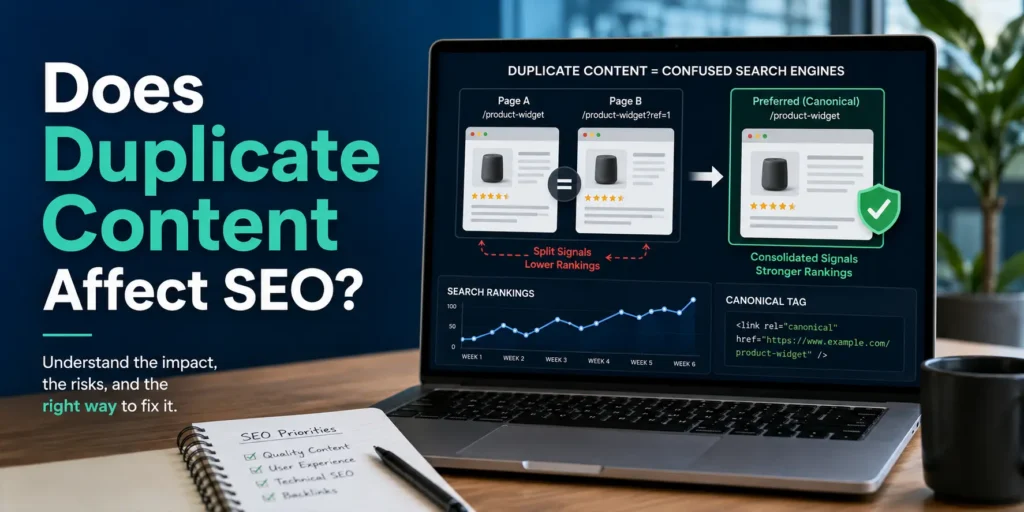
Yes, duplicate content can affect SEO by making it harder for search engines to decide which page should rank. This can split ranking signals and reduce the visibility of your preferred page.
However, duplicate content does not automatically cause a Google penalty. The real impact depends on how and where the duplication appears. Below, we’ll explain when duplicate content becomes a problem and when you usually don’t need to worry.
What Is Duplicate Content in SEO?
Duplicate content is the same or very similar content appearing on more than one URL, either on the same website or across different websites.
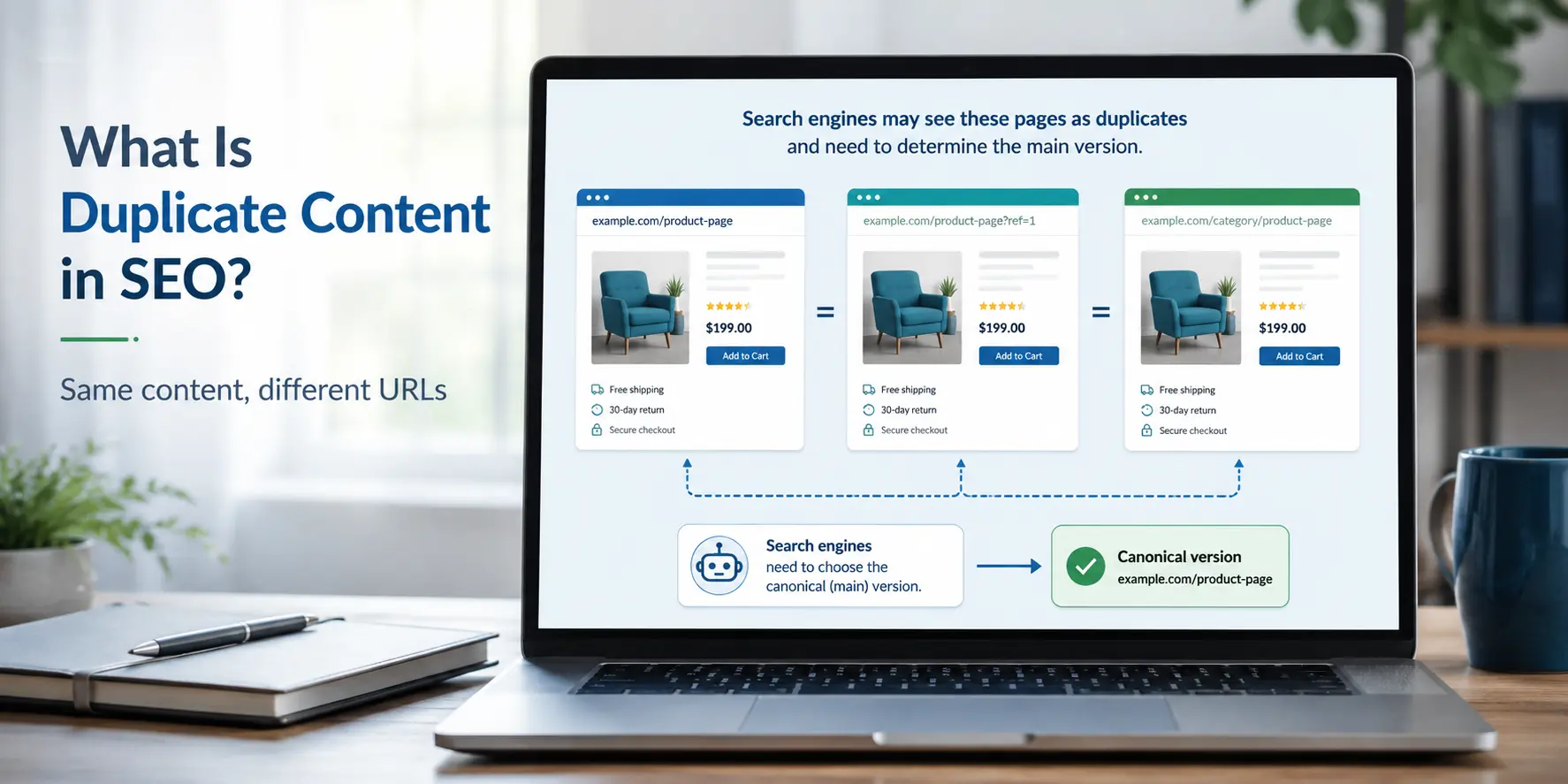
For example, if the same product description is available on multiple pages or one page can be accessed through several URL versions, search engines may see those pages as duplicates. This can make it harder to understand which URL is the main version to index and rank.
Internal vs External Duplicate Content
Duplicate content is usually divided into two types:
- Internal duplicate content: Similar content appears on multiple URLs within the same website.
- External duplicate content: The same or very similar content appears on different websites.
Not every duplicate page is harmful, but large-scale or unmanaged duplication can create indexing, crawling and ranking issues.
Does Google Penalize Duplicate Content?
Google’s SEO Starter Guide explains that normal duplicate content is not a violation of its spam policies. A problem may arise when duplication is deliberately created to manipulate rankings or deceive users. Therefore, normal technical duplication should be fixed through proper URL management rather than treated as a penalty.
How Does Duplicate Content Affect SEO Performance?
1. Google May Choose the Wrong Page to Rank
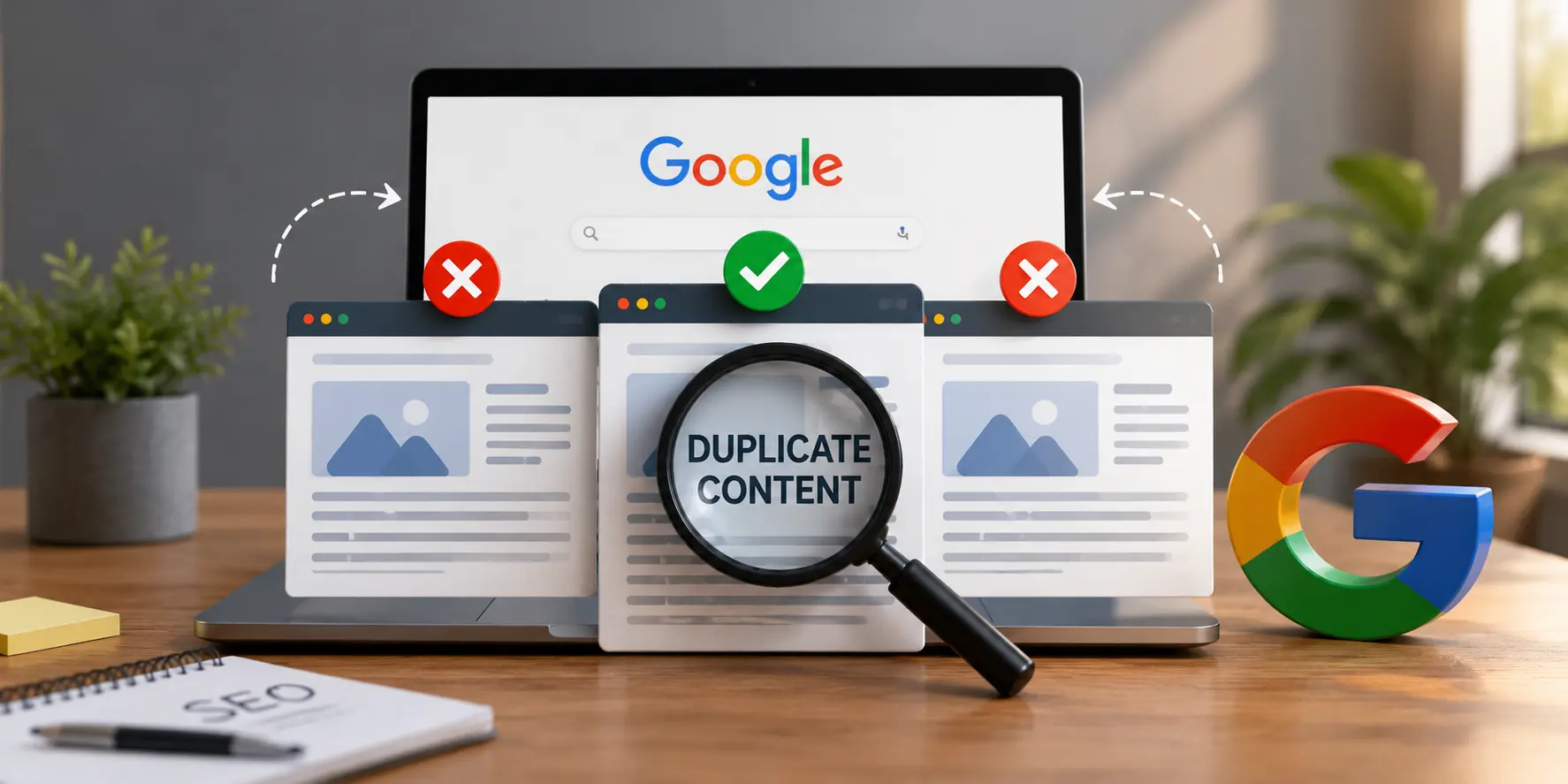
When several URLs contain the same or very similar content, Google may select one of them as the canonical page. If your preferred URL is not clearly signaled, Google could choose a different version to appear in search results.
2. Ranking Signals Can Be Split Between Similar Pages
Links and other ranking signals may be spread across different versions of the same content instead of being consolidated on one URL. Google notes that when duplicates are not properly identified, the strength of those signals can be diluted.
3. Search Engines May Waste Crawl Resources
If Googlebot repeatedly crawls unnecessary duplicate URLs, it can spend resources on pages you do not want indexed instead of discovering or refreshing more important pages. This matters more on larger websites with many URLs.
What Are the Most Common Causes of Duplicate Content?
Duplicate content is often created without the website owner intentionally copying anything. Technical settings, CMS features and different URL versions can all make the same content accessible through multiple pages.

URL Parameters and Tracking URLs
Filters, sorting options and tracking parameters can create several URLs for essentially the same page.
For example:
- example.com/shoes
- example.com/shoes?sort=price
- example.com/shoes?utm_source=google
If search engines can crawl all these URLs, they may discover multiple versions of the same content.
HTTP vs HTTPS and WWW vs Non-WWW Versions
A website may be accessible through different versions, such as:
- http://example.com
- https://example.com
- https://www.example.com
Without proper redirects and canonicalization, search engines may treat these as separate URLs containing duplicate content.
Product Variations and eCommerce Pages
Online stores often create separate URLs for colors, sizes, filters or product variations. When these pages contain almost identical descriptions and product information, they can create duplicate content at scale.
Poorly Configured Category, Tag and Author Archives
WordPress automatically creates category, tag, author and date-based archive pages. These archives are not duplicate content by default. A well-organised category archive can help users discover related articles and may serve as a useful topic hub.
Problems can arise when archives display complete article content, target the same search intent or generate many thin pages containing only one or two posts.
Before applying noindex, check whether each archive provides genuine navigation or search value. Useful archives can be improved with a unique introduction and clear internal links, while unnecessary or overlapping archives may be consolidated or carefully excluded from indexing.
Is Duplicate Content the Same as Plagiarism?
No, duplicate content and plagiarism are not the same thing.
Duplicate content simply means that the same or very similar content appears on more than one URL. This can happen unintentionally because of technical issues, product variations or syndicated content.
Plagiarism, on the other hand, means copying someone else’s content and presenting it as your own without proper permission or credit.
From an SEO perspective, duplicate content is mainly an indexing and canonicalization issue, while plagiarism can also create copyright, trust and reputation problems.
So, a page can contain duplicate content without being plagiarized, but copied content from another website may be both.
How Much Duplicate Content Is Acceptable?
There is no official percentage of duplicate content that Google considers acceptable. Rules such as “10% is fine” or “30% duplicate content will hurt SEO” are not Google guidelines.
Some duplication is completely normal, especially for navigation, legal text, product specifications, and URL variations. Google says duplicate content itself is not a spam violation and usually tries to select one URL as the canonical version.
The real concern is whether duplication affects important page content or creates many unnecessary URLs competing for the same search intent. Instead of chasing a percentage, focus on making each important page useful, distinct and clear about which URL should rank.
How Can You Check Your Website for Duplicate Content?
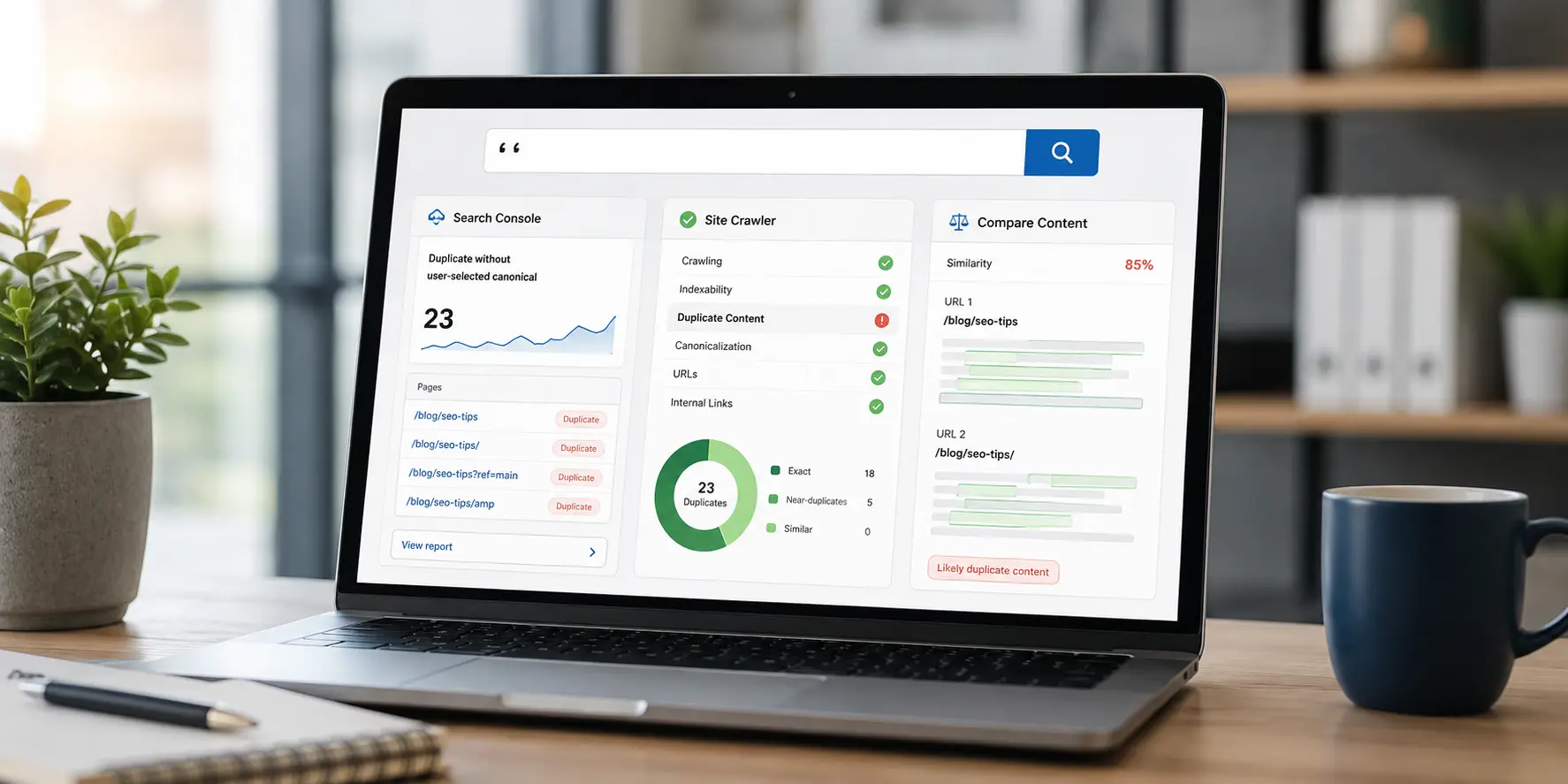
You do not always need an expensive SEO tool to identify duplicate URLs. Start with one important page, check the different URL versions that can display its content and then compare the canonical signals in the page source and Google Search Console.
A Practical WordPress Duplicate Content Example
Suppose a WordPress article is accessible through these URLs:
- https://example.com/seo-guide/
- https://example.com/seo-guide/?utm_source=newsletter
Both URLs may display exactly the same article. However, this does not automatically mean Google will index both versions or apply a penalty. The important question is whether the tracking URL correctly identifies the clean article URL as its canonical version.
Step 1: Check the Canonical Tag
Open the parameter URL in your browser, right-click the page and select View Page Source. Search the source code for:
rel=”canonical”
Ideally, the canonical tag on both versions should point to the clean URL:
https://example.com/seo-guide/
This tells search engines which version the website prefers to have indexed and shown in search results.
Step 2: Compare the Canonicals in Google Search Console
Open Google Search Console and inspect the parameter URL. Under Page Indexing, compare:
- User-declared canonical: The URL specified by your website
- Google-selected canonical: The URL Google has chosen
If both fields show the clean article URL, the canonical setup is generally working as intended. If Google selects a different URL, review the canonical tag, redirects, sitemap and internal links pointing towards each version.
How Do You Fix Duplicate Content Issues?
The right fix depends on why the duplicate pages exist. In most cases, the goal is to help search engines understand which URL should be treated as the main version.
Which Duplicate Content Fix Should You Use?
Not every duplicate URL requires the same solution. Choose the fix according to why the additional URL exists and whether users still need to access it.
| Duplicate Content Situation | Recommended Action |
|---|---|
| HTTP/HTTPS or www/non-www versions | 301 redirect all versions to the preferred URL |
| Tracking URL showing the same content | Canonicalise it to the clean URL |
| Filter URL with no unique search value | Use an appropriate canonical or indexing strategy |
| Old duplicate page no longer needed | Merge any valuable content and apply a 301 redirect |
| Useful product variation | Add unique value and use a suitable canonical strategy |
| Pages targeting different search intents | Keep both pages and make their content clearly distinct |
| Useful category or archive page | Improve it with unique content and internal links |
| Unnecessary or overlapping archive | Consolidate it or carefully consider noindex |
| Content republished by another website | Ask the publishing partner to block indexing of its copy |
For syndicated content, Google recommends asking publishing partners to prevent their republished versions from being indexed when you do not want those copies competing in Search. Read Google’s syndicated-content guidance.
Use Canonical Tags Correctly
According to Google’s canonical URL guidance, rel=”canonical” is a strong signal for identifying the preferred version of duplicate or substantially similar pages. Use it when both URLs must remain accessible but you want Google to prioritise one version.
Set Up 301 Redirects
If a duplicate page is no longer needed, use a 301 permanent redirect to send users and search engines to the preferred URL. This is especially useful when pages have been merged or old URLs have been replaced.
Use Noindex Where Necessary
Use noindex only when a page should be completely excluded from search results. Google’s noindex implementation guide explains that Google must be able to crawl the page to detect the directive. Therefore, do not block the same page through robots.txt, as Google may be unable to see its noindex instruction.
Improve or Merge Similar Pages
If two pages target the same topic and offer nearly identical information, either make each page genuinely useful for a different search intent or merge them into one stronger page. Redirect the removed URL to the consolidated page when appropriate.
Keep Internal Links Consistent
Make sure your internal links consistently point to the preferred canonical URL rather than duplicate variations. This reinforces your preferred version, helps consolidate relevant signals and creates a clearer website structure for users and search engines.
Does Duplicate Content Affect eCommerce SEO?
Yes, duplicate content can affect eCommerce SEO, especially because online stores often create many similar URLs for product variants, filters, sorting options and categories. Google notes that eCommerce sites can generate multiple URLs for the same or very similar content, making canonicalization important.

Common examples include:
- The same product available in different sizes or colors
- Manufacturer descriptions reused across multiple stores
- Filtered URLs such as price, brand or category combinations
- Tracking and sorting parameters creating extra versions of a page
If these URLs are not managed properly, Google may spend time crawling unnecessary pages or choose a different URL as the canonical version.
Use clear URL structures, suitable canonical tags and genuinely useful product information.
Can You Use Manufacturer Product Descriptions?
Yes, you can use manufacturer product descriptions, but relying on the exact same copy used by dozens of other stores is not ideal for SEO.
Google recommends creating unique, useful content rather than simply copying information already published elsewhere.
For better eCommerce SEO, keep the accurate product specifications but add original information such as:
- Key benefits and use cases
- Size, material or compatibility details
- FAQs and buying guidance
- Your own product insights or comparisons
- Shipping, warranty or return information where relevant
Retain accurate product specifications and add buyer-focused details, comparisons and practical guidance.
Does Duplicate Content Across Different Websites Hurt SEO?
It can affect SEO, but it does not automatically hurt your rankings. When the same content appears on multiple websites, Google may choose the version it considers most appropriate to show in search results rather than displaying every copy.
This is common with syndicated articles, copied product descriptions, guest posts and republished content. The main risk is losing control over which version gets visibility.
If you republish content elsewhere, make sure the original source is clearly referenced and, where appropriate, prevent duplicate syndicated versions from being indexed. Google specifically recommends blocking indexing for syndicated copies when you do not want them competing in Search.
How Can You Prevent Duplicate Content in the Future?
Preventing duplicate content is easier when your website has a clear URL and content structure from the start.
To reduce future duplication:
- Use one preferred version of each URL
- Add canonical tags where similar pages are necessary
- Redirect outdated or duplicate URLs
- Avoid creating multiple pages for the same search intent
- Keep category, tag, and filter pages under control
- Write original content for important service and product pages
- Check your site regularly with SEO crawling tools
Regular technical SEO checks can help you catch duplicate pages before they start affecting indexing or rankings.
Major WordPress changes can affect archive layouts, internal links and SEO metadata. If you are planning a redesign, review these SEO considerations before switching themes to keep important URLs and page signals consistent.
Final Verdict: Should You Worry About Duplicate Content?
Yes, duplicate content should be managed, but it is not always a serious SEO problem. It becomes important when search engines struggle to identify the right page to index and rank.
Focus on keeping important pages unique and use canonical tags or redirects where duplicate URLs exist.
Frequently Asked Questions
1. Is 20% or 30% duplicate content bad for SEO?
2. Are duplicate product descriptions bad for SEO?
3. Do canonical tags fix duplicate content?
4. Can two pages with similar content rank on Google?
5. How do I remove duplicate content from my website?
